Sharebio
UX/UI, Front-end Web Development
Last summer, I overhauled the design of Sharebio- an intercollegiate research sharing platform for bioinformatics studies. My primary role in the project was to assist in moving Sharebio to a local server and to push some updates and features to it before the second launch. This gave me the opportunity to learn about setting up web servers in a Linux environment, but also allowed me the creative freedom to engineer the site's user experience and overall design.

Reinforce Brand Image
Made creative assets and redesigned the site to provide it with a stronger image and a distinctive visual identity

Streamline project browsing
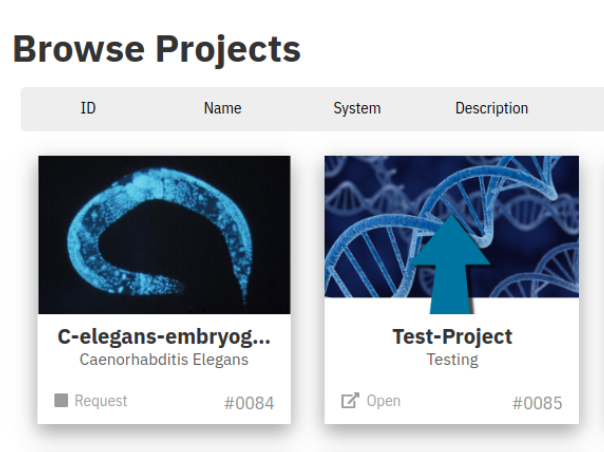
Added visual cues to indicate access level, ID, and other possible actions on project thumbnails

Debugging
Resolved database issues related to account creation, login, project creation, and project sharing

Branding
While I was working on testing project creation and modification, I noticed that
aside from the favicon, Sharebio's logo was only used once on the entire site.
The logo also used the site's tagline but didn't incorporate it's name, which
made it potentially confusing out of context.
The new logo makes use of the site's accent blue, as well as the original's
iconic microscope. I went with a wordmark logo so it could fit in the upper-left
navbar where it would be readily seen by first-time visitors and help identify
the site.
Challenges
One of the biggest user experience challenges on the site was making the best of
the
space available on each project thumbnail. Given that each project had a unique
identifier
on the database but no way to view it on the front end, I added an ID number to
each project,
which also helped distinguish projects with similar names or images.
The other major consideration was permissions, since each user had to request
access to view
and edit the files of other people's projects. Here, I used icons to indicate
that the
status of each request, and to help communicate that projects would be opened
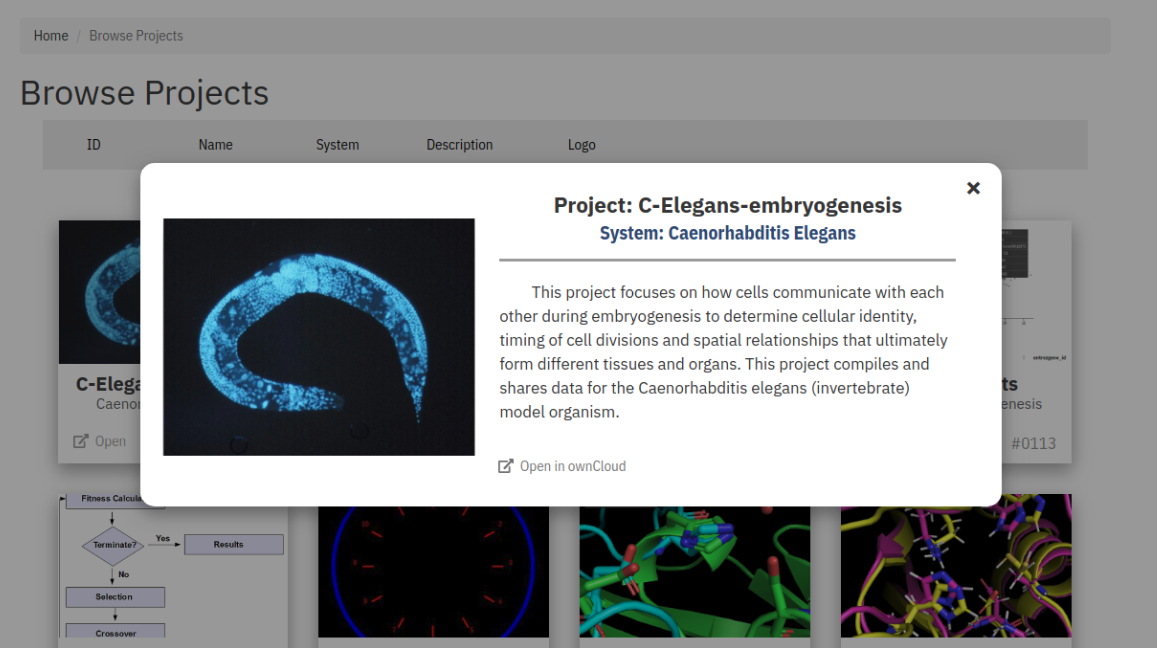
elsewhere- in
this case, in a new tab on ownCloud, which was where all of the project files
were stored.